Show Alerts by Text
eResonate Media Corporation can text you about the shows you follow on eresonate.com. This page is the whole of it: what you get, how often, what it costs, how to start and how to stop. Texts are off until you switch them on yourself.
What you get
- A reminder the morning of a show at a room you follow, a band you follow, or one you said you were going to.
- A text when a show you are going to starts, because there is no recording and late is the same as missed.
- A one-time sign-in code, when you ask for one to get into your account.
Nothing else. We do not text advertising, and another member can never send you a text through eResonate.
How to turn them on
Both steps happen on your own account, and both are yours to take.
- Settings & Privacy › Account › Your Phone — add your US or Canadian mobile number and confirm it with the code we text you, so we know the number is yours.
- Settings & Privacy › Email & notifications — switch on Show Alerts by Text. It is off by default, and stays disabled until a number is confirmed.
The consent you are giving
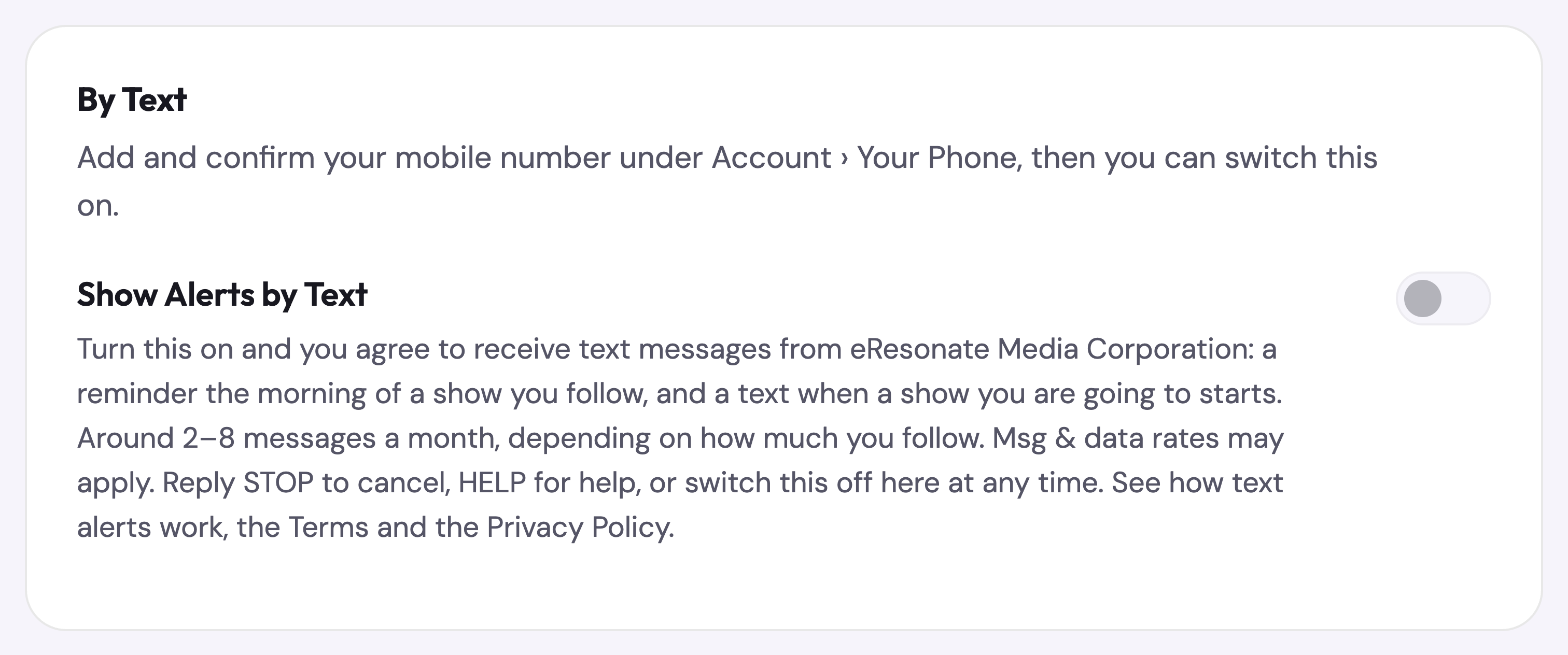
This is the wording that sits beside the switch, word for word:
Show Alerts by Text. Turn this on and you agree to receive text messages from eResonate Media Corporation: a reminder the morning of a show you follow, and a text when a show you are going to starts. Around 2–8 messages a month, depending on how much you follow. Msg & data rates may apply. Reply STOP to cancel, HELP for help, or switch this off here at any time. See the Terms and the Privacy Policy.
How often
It depends on how many rooms and bands you follow — for most people, around two to eight messages a month. Msg & data rates may apply.
How to stop
- Reply STOP to any message and they end. STOPALL, UNSUBSCRIBE, CANCEL, END and QUIT work too.
- Reply HELP for help, or write to duke@eresonate.com.
- Or switch Show Alerts by Text off in Settings, or remove your number entirely.
Stopping texts changes nothing else about your account, and email alerts carry on unless you switch those off too.
Your number
Your mobile number is never shown on your profile and nobody can find you by it. We do not sell or share your SMS opt-in data or personal information with third parties for marketing purposes. The number is passed only to our messaging provider, Twilio, to deliver these messages on our behalf. See the Privacy Policy and the SMS section of the Terms.